
Become a ZED Assessor — Step-by-Step Application Guide
Follow this complete walkthrough to submit your ZED Assessor application accurately. Keep all required documents ready before you begin.
Important Instructions
Read all points carefully before starting the application process to avoid rejection.
All uploaded documents and photos should be clear and properly visible
Passport-size photograph size should preferably not exceed 500 KB
Keep all required documents ready before starting the application process
Ensure your Name, Mobile Number, and Email ID are entered correctly
Upload only valid and authentic documents for verification
Keep your ISO Lead Auditor Certificate, Degree/Marksheet, ID Proof, and Experience Documents ready in advance
Incorrect or incomplete information may lead to application rejection
Use an active Email ID and Mobile Number for future communication regarding training and assessment activities
Complete Application Walkthrough
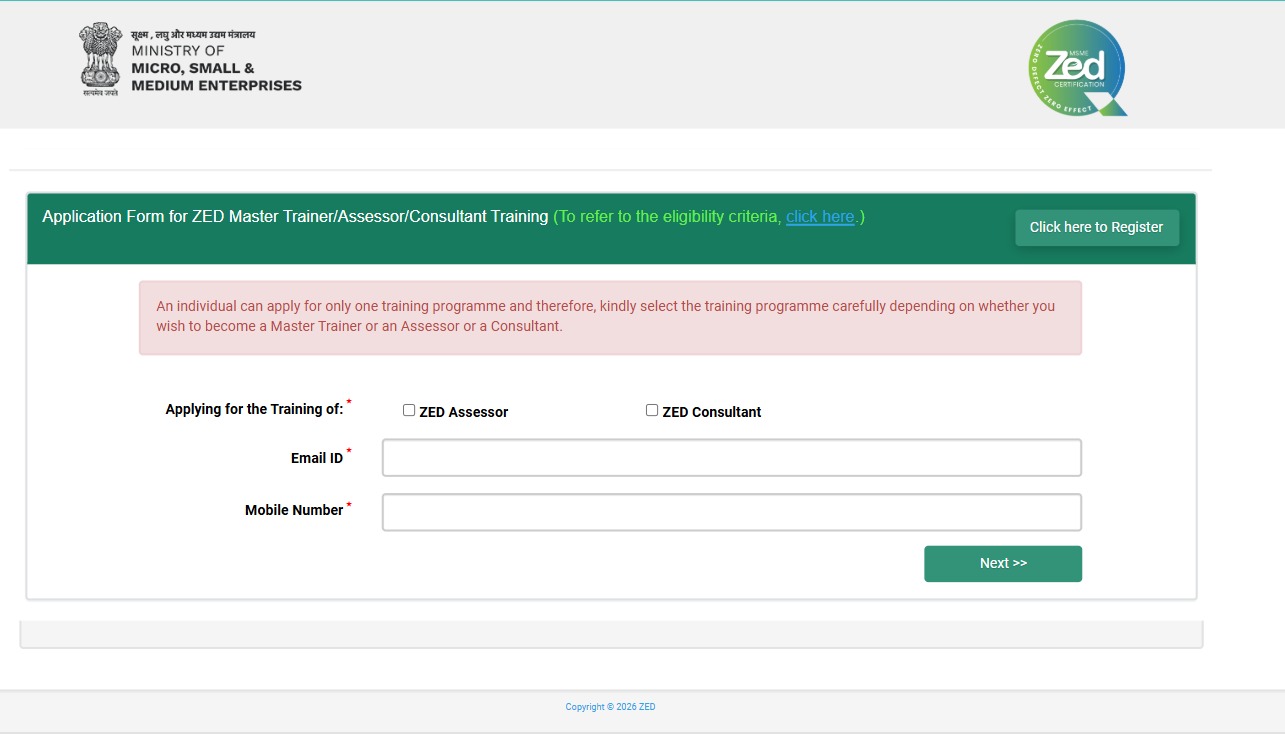
Step 1: Training Category Selection
This step is about starting your ZED Assessor application process. Here, you need to select “ZED Assessor” as the training category and fill in your basic details like Name, Mobile Number, and Email ID to proceed further.
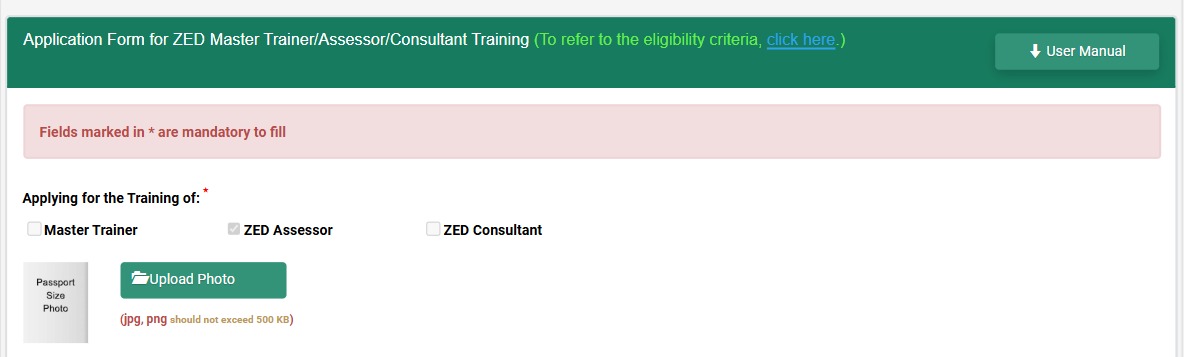
Step 2: Training Program Application
This step is about applying for the official ZED Assessor training program. You need to select the relevant Assessor Training Program option and continue the registration process carefully.
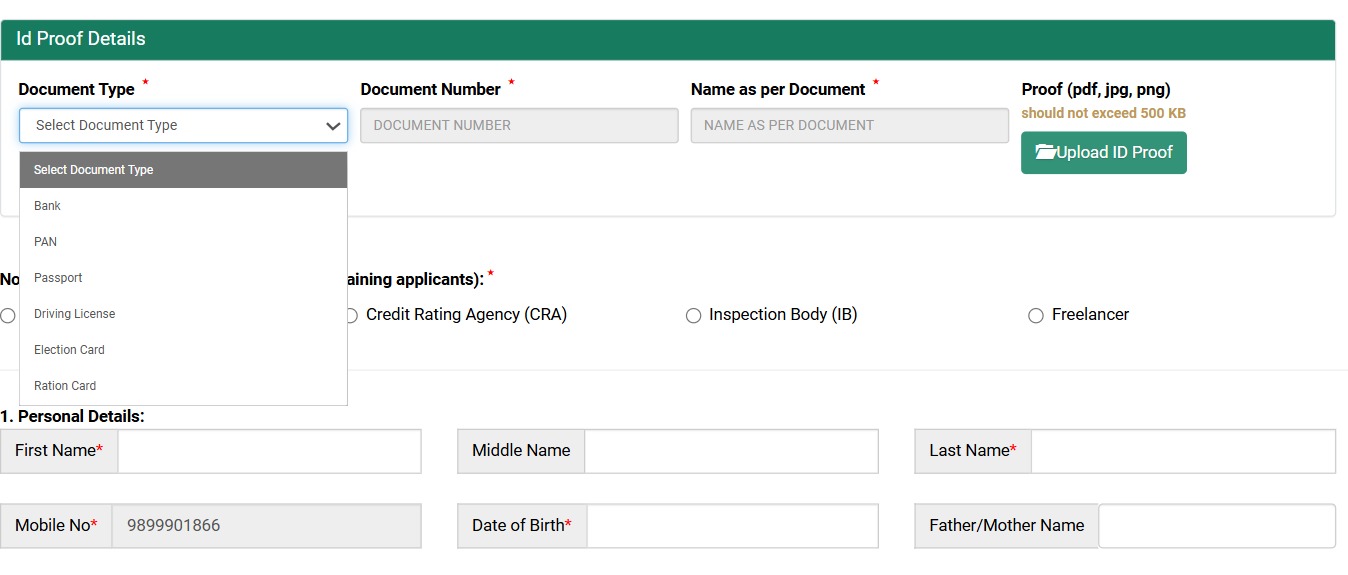
Step 3: Personal Details Submission
This step is about submitting your personal and communication details. Here, you need to fill:
- Full Name
- Gender
- State & district
- Email id
- Mobile Number
- Address Details
Make sure the uploaded documents are clear and properly visible.
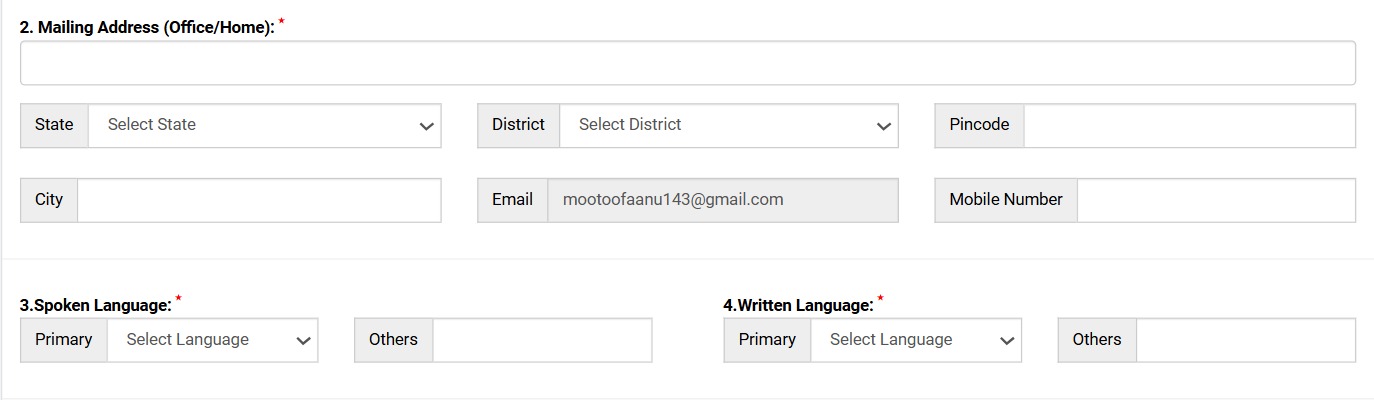
Step 4: Profile Photo & ID Proof Upload
This step is about identity verification. First, upload your recent passport-size photograph in the required format. After that, upload a valid ID proof such as:
- Aadhaar Card
- PAN Card
- Election/Voter ID
- Driving License
or any other valid government ID proof.
Make sure the uploaded documents are clear and properly visible.

Step 5: Nomination & Certification Body Selection
For this step, Pls contact us :
9289113561 – Ria
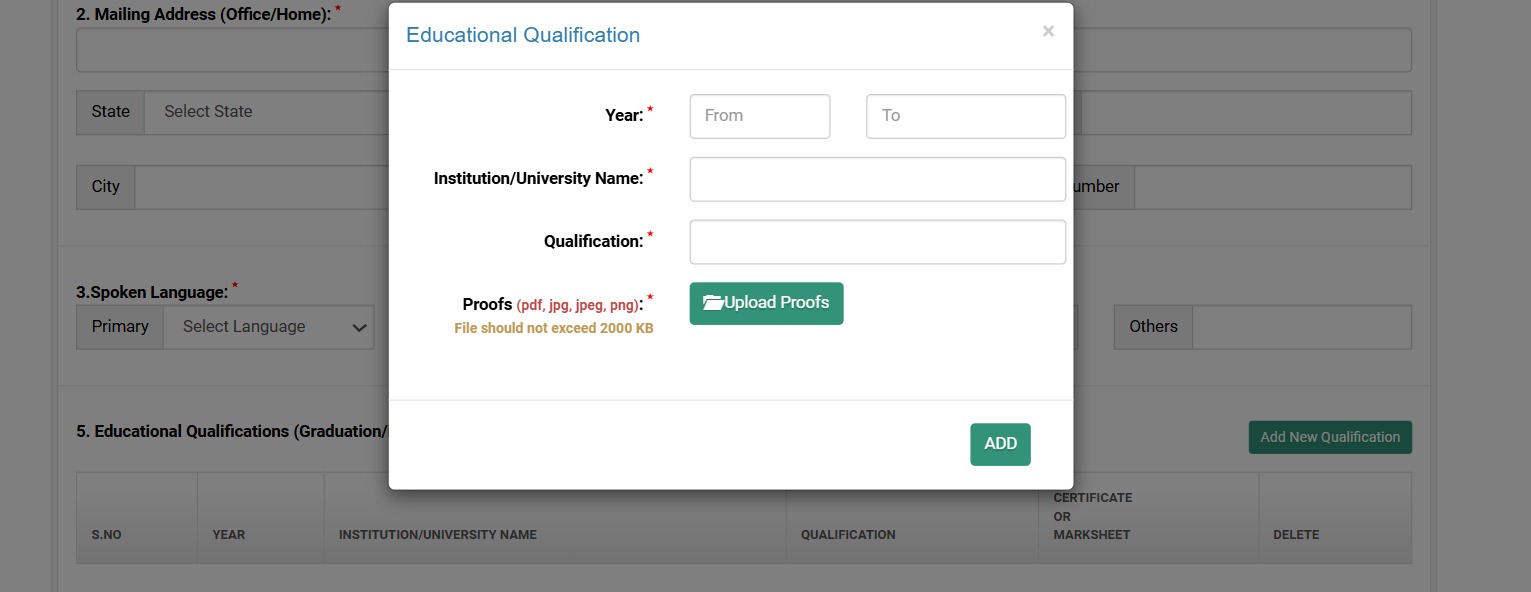
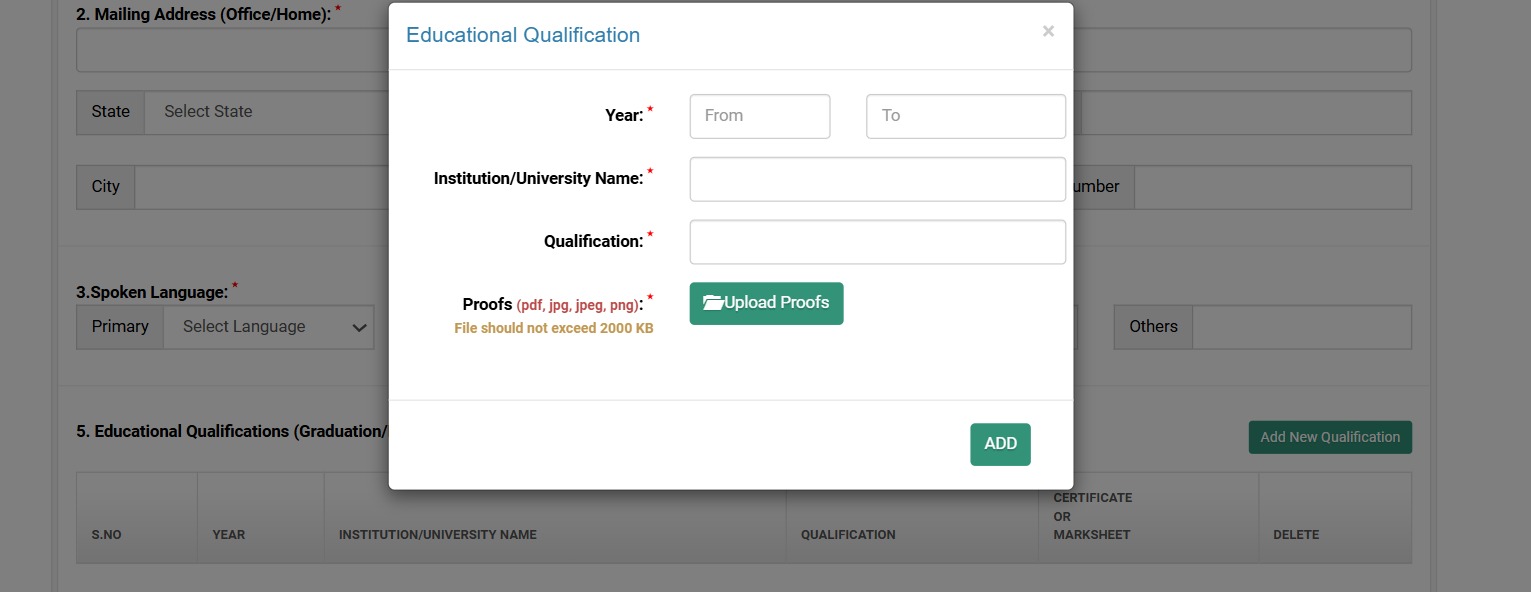
Step 6: Educational Qualification Details
This step is about verifying your educational eligibility. Select your qualification such as:
- Graduate
- Diploma in Engineering
Then upload your Degree/Marksheet documents for verification.
Step 7: Experience Details Entry with lead auditor
This step is about verifying your professional experience.This step is about validating your auditor qualification. Select whether you have an ISO Lead Auditor certification and upload certificates related to:
- Total years of experience
- ISO 9001
- ISO 14001
- ISO 45001
or other relevant ISO standards. - Industry background
- Relevant work area like Manufacturing, Quality, Operations, Auditing, or Consulting
Enter details carefully as per your actual experience.
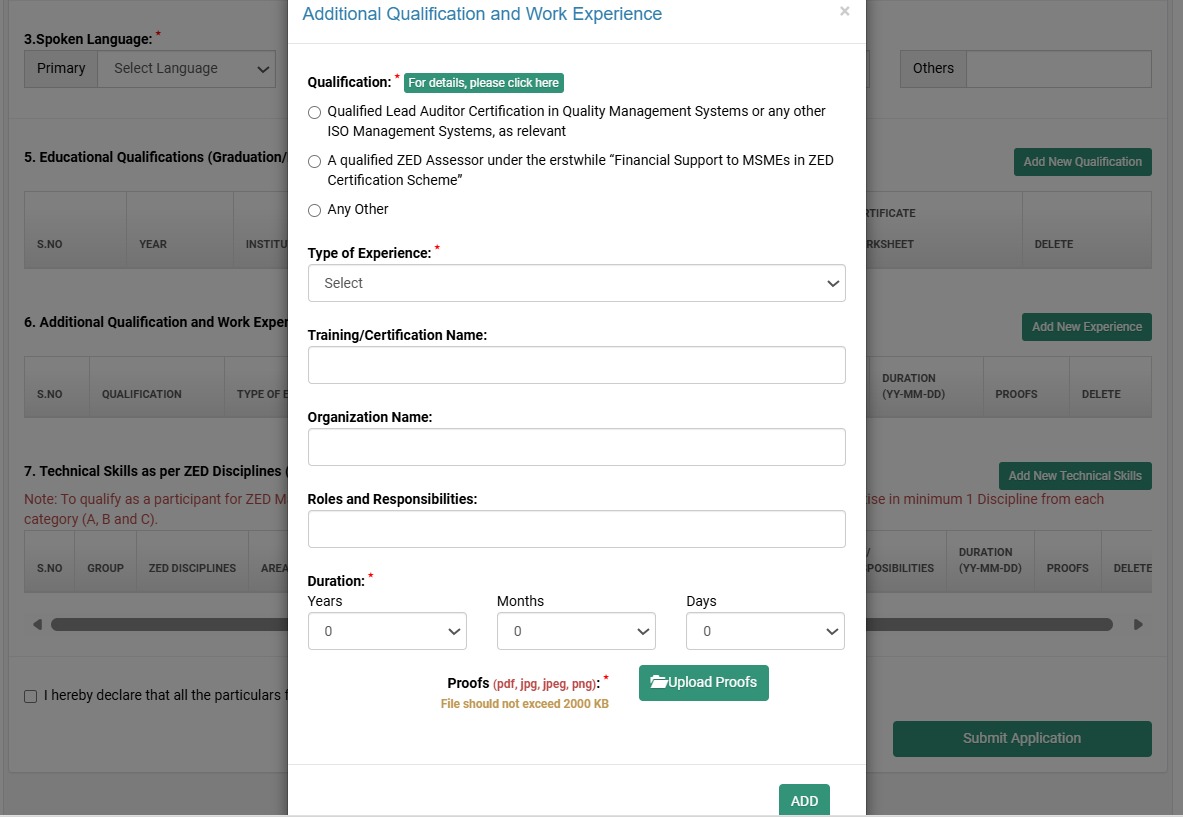
Step 8: Additional Qualification & Experience
This step is about adding your additional professional qualifications and technical experience relevant to auditing, compliance, and assessment activities.
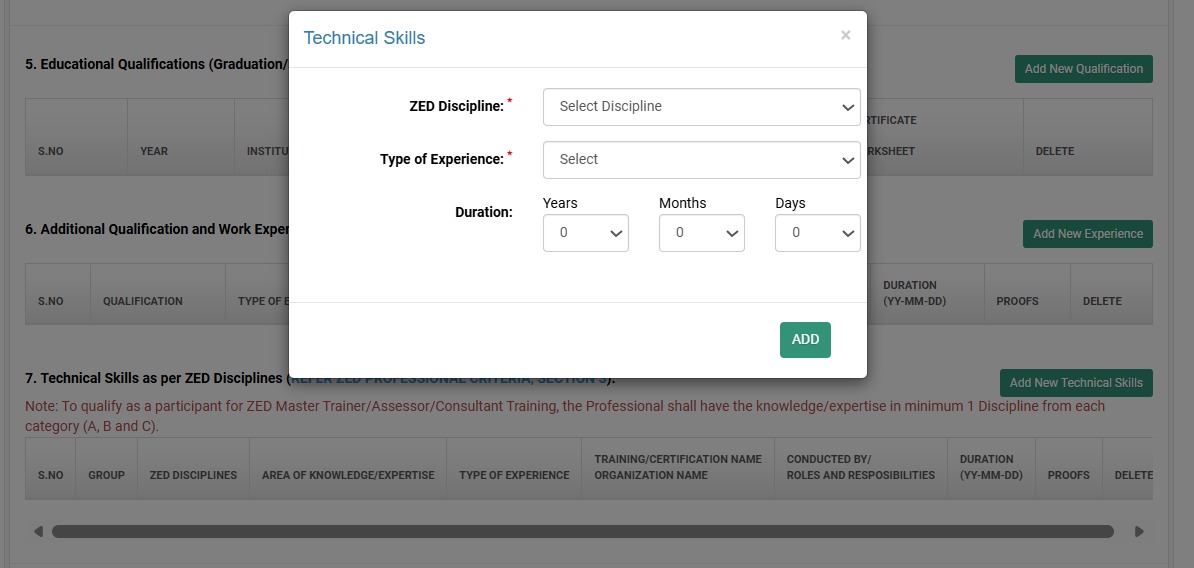
Step 9: Technical Discipline Selection
This step is about selecting your technical area of expertise. Choose the discipline most relevant to your experience, such as:
- QMS
- Environment Management
- Occupational Health & Safety
- Energy Management
- Supply Chain Management
- Human Resource Management
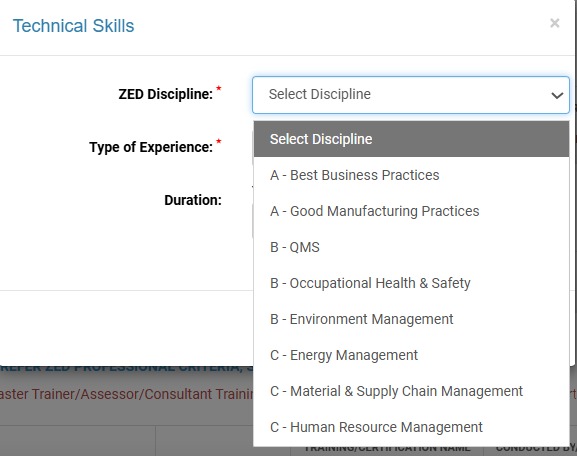
Step 10: Technical Skills & Expertise Details
This step is about adding your additional professional qualifications and technical experience relevant to auditing, compliance, and assessment activities.
- Type of Experience
- Duration of Experience
- Technical Expertise Area
This helps assess your suitability for assessor activities.
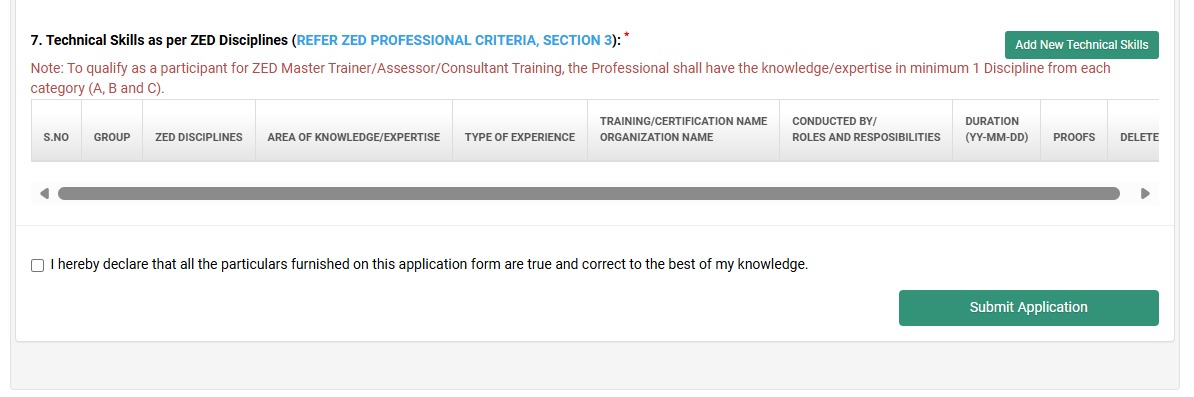
Step 11: Declaration & Final Submission
This is the final step of the application process. Read the declaration carefully, accept the terms, and click on the final submit button to complete your ZED Assessor application successfully.
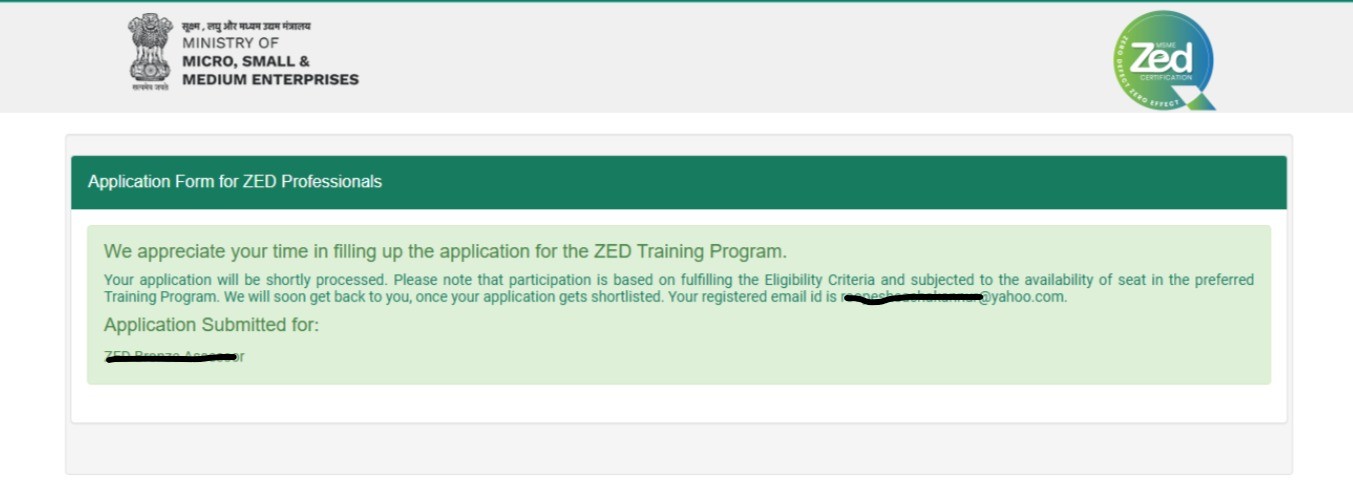
Step 12: Submission to RSJ
Once you submit the application. Pls share the image with us – Submit here